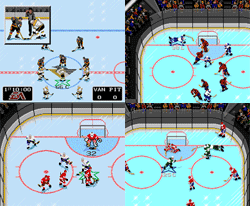
Hello, and welcome to the website! If this is your first time here, please read on. The leagues on this website use emulators on computers to play the classic hockey game NHL94 online against people mostly from the North American area. If you are interested in the league, please read the About page. Please note that this website will be hosting more than just the Classic '94 Leagues in the future.
You may also want to check out the Rules, Getting Started, and FAQ pages to help answer the more common questions.
Posted on Friday, October 23, 2009 12:06 AM by JG1015
Any NEW user who signs up on NHL94Online for a league will need to be confirmed before being able to take their place on the league's Waiiting List. In order for them to be confirmed, they need to play a test game against a veteran coach in order to test their connection. Once the veteran coach has played their game and approved their connection (i.e. no lag, setup for Hamachi is OK, able to host a game), they can confirm the new coach on the following page:
This page can also be accessed under the "User Tools" menu on the NHL94Online website. On the page, the veteran player will fill out his User Name and Password for the site, and pick the coach he is confirming from the drop-down menu. Once finished, press the "Confirm Coach" button.
Once this is done, the new coach will be confirmed and allowed his spot on the Waiting List. The coach's spot on the Waiting List depends on when he signs up, not when he is confirmed. The coach must be confirmed in order to be considered to play in the league.
A veteran coach is ANY coach who has played in a league before and is signed up on the NHL94Online website. A new coach is a coach who is new to the site and has signed up for a league. You only need to be confirmed ONCE.
New coaches can request test games in these topics:
Posted on Thursday, October 15, 2009 08:55 PM by JG1015
Hi All,
If there is an error in logging the score, the team that needs to confirm the score is now able to change it. This should make things a lot easier for coaches, where before I would have to manually change the score.
Here is an example on what would happen:
- A game is played : CHI 4 @ DET 3.
- DET (Home) coach logs the game : CHI 5 @ DET 4.
- CHI (Away) notices the mistake, and inserts the correct score : CHI 4 @ DET 3.
- DET (Home) will now need to reconfirm the score by choosing the game on his schedule and entering his password. Once this is done, the game is submitted.
Now, in the rare occurrence that the away team went to correct the score and inserted the wrong score, the home team can change it and the away team would have to reconfirm.
Games that need to be reconfirmed will show up on the schedule as "RECONFIRM".
Also, if the game had been an OT game, and it was not checked by the home team when logging the game, the away team can check OT and the home team would reconfirm it.
you MUST have a veteran player play a test game with you and more importantly have the *veteran player post in this thread that they can confirm your connection (list their AIM screen name).
This is very important!
We cannot submit you into the league until your connection has been confirmed.
*A veteran player is anyone that has played in an online league.
you MUST have a veteran player play a test game with you and more importantly have the *veteran player post in this thread that they can confirm your connection (list their AIM screen name).
This is very important!
We cannot submit you into the league until your connection has been confirmed.
*A veteran player is anyone that has played in an online league.
Posted on Wednesday, September 30, 2009 10:35 PM by Evan
Hey coaches,
The time has finally arrived. The Classic '94 Season is now in session, you may play your games. Here's some useful information about playing Classic '94:
To see your schedule, choose the league you're in on the NHL94online.com homepage and then click on your team. Here's the quick links for the leagues:
Once you are viewing your Coach Page, you'll see the schedule with "Log A Game" links and Confirm text. Here's how to log games (Taken from the Rules page):
From the team/coach page, the HOME team owner clicks on the "Log Game" hyperlink for the game played, and enters both the score and his league password. Once that is completed, the AWAY team owner can enter his password to confirm the score. If the HOME team has entered the score incorrectly, the AWAY user may make a correction; the HOME user must then confirm the corrected score. Once both teams have confirmed the score, the team page and standings will automatically be updated.
Checkpoints You'll notice there is text on the Coach Page that says "8 Games left to satisfy Checkpoint ( 1 ) by Oct. 19th, 2009." The first checkpoint is October 19th. You are required to play ANY 8 games from your schedule by then. Then, checkpoints will continue every 2 weeks and you can always check your Coach Page to see the status of your games played.
A quick way to see all the AIM screen names of the players in your league is to click on the Teams & Schedules link on NHL94online.com. I would recommend adding these screen names to your buddy list to help know when your opponents are online.
If there are any problems or questions with the site, please let us know immediately. We want to make sure things go smooth for everyone and the experience is good. Also, if there are any disputes about logged scores just contact me (Evan), Chaos, or Halifax so we can resolve the situation.
Thanks guys and goodluck! Oh, and have a great time playing too!